

 0
0
 0
0
When your Tello mobile plan runs out, you’ve got smart strategies to stay connected. Keep an eye on your billing cycle and monitor data usage through your Tello account. Purchase Data Add-Ons to boost your data without changing your plan’s renewal date. For added flexibility, consider Pay As You Go credit for quick top-ups. If you need help or advice on maximizing your plan, there’s more to explore that can keep you connected without the drama.
Understanding Your Billing Cycle
Understanding your billing cycle is essential for managing your Tello Mobile plan effectively. Your billing cycle begins on the day you activate your plan and automatically renews every 30 days.
To stay on top of your data usage, check your billing cycle start and renewal dates in your Tello account settings. This way, you can monitor how much data you have left as the cycle progresses.
Remember, any Data Add-Ons you purchase will expire at the end of the current billing cycle, so plan accordingly. If you run out of data before renewal, you can buy additional data or Pay As You Go credit without changing your billing date.
Staying informed helps you avoid running out of data unexpectedly. Additionally, using expense management apps can streamline your overall financial organization, making it easier to manage any unexpected expenses that may arise.
Exploring Data Add-Ons
Once you’re familiar with your billing cycle, it’s time to explore how Data Add-Ons can enhance your Tello Mobile experience.
These add-ons let you increase your data without changing your current billing date, making them perfect for those temporary needs. Here’s how you can easily add more data:
- Purchase in increments of 1GB, 3GB, or 5GB by texting ADD1GB, ADD3GB, or ADD5GB to 800.
- Use the SMS command RENEW to maintain your plan’s renewal date while boosting your data limit.
- Remember, all Data Add-Ons expire at the end of your billing cycle and don’t roll over.
These options are especially useful for users facing occasional spikes in data usage without needing to switch to a higher Tello plan. Additionally, strategic use of cashback programs can further enhance your overall savings on mobile services.
The Benefits of Pay As You Go Credit
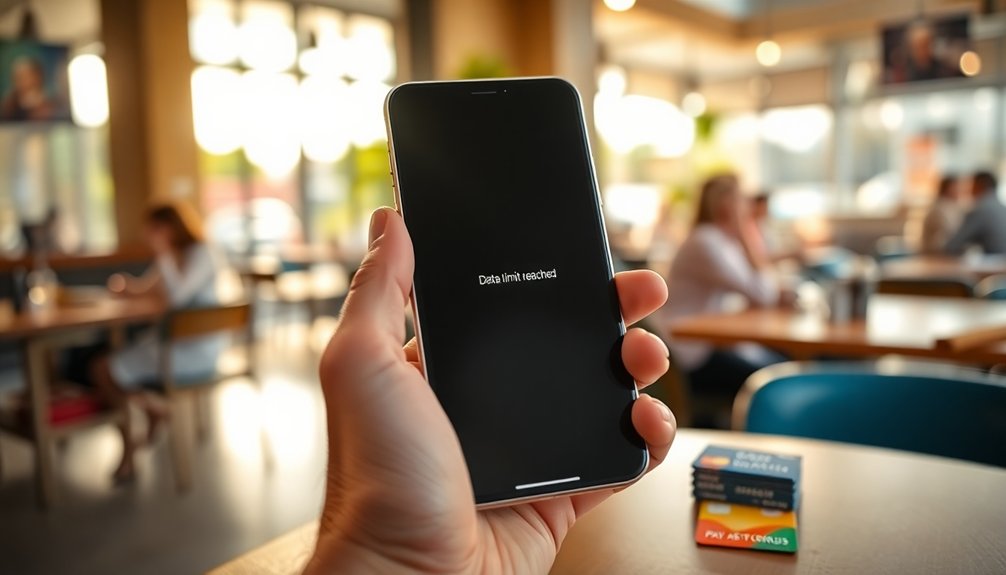
Pay As You Go (PAYG) credit gives you the flexibility to use calls, texts, and data without worrying about a monthly commitment.
You can quickly top up your balance with a simple text, ensuring you stay connected when you need it most.
Plus, if you’re traveling internationally, PAYG credit helps you manage costs while keeping you in touch. Additionally, using tools like budgeting apps can help you track your spending effectively, ensuring you make the most of your PAYG credit.
Flexible Usage Options
When you need flexibility in your mobile usage, Pay As You Go (PAYG) credit from Tello Mobile offers a practical solution. It helps you manage unexpected usage for calls, texts, and data until your next billing date.
With PAYG credit, you can enjoy:
- A 90-day validity period, ensuring you use your funds timely.
- Versatile options for various services, not just data, unlike Data Add-Ons.
- Simple top-up options by texting commands like ADD10PAYG to 800 for convenience.
This flexibility allows you to maintain your plan balance without the commitment of a long-term contract.
Plus, it’s especially beneficial for international roaming, keeping you connected while traveling without stress. Embrace the freedom of PAYG credit!
Quick Top-Up Process
How easy is it to top up your Pay As You Go (PAYG) credit? It’s incredibly simple!
You can quickly add credit via SMS by sending commands like ADD10PAYG or ADD20PAYG to 800. This flexibility guarantees uninterrupted service, allowing you to make calls, send texts, and use data without changing your existing plan or billing date.
Plus, your PAYG credit lasts for 90 days before expiring, so you can use it as needed until your next plan renewal. This is especially beneficial for managing unexpected usage during travels or when you exceed your current billing cycle.
Unlike Data Add-Ons, PAYG credit offers versatility for both domestic and international use, making it a smart choice for any user.
International Roaming Benefits
While traveling abroad, having the right mobile plan can make all the difference, and Tello’s Pay As You Go (PAYG) credit offers a smart solution.
With PAYG credit, you can enjoy:
- The flexibility to make calls, send texts, and use data internationally without needing a separate plan.
- A validity period of 90 days, giving you a temporary safety net for unexpected usage while away from home.
- The ability to control your spending, ensuring you only pay for what you need, avoiding hefty roaming fees.
With a minimum balance of just $5, you can access roaming services in over 200 countries.
Tello’s PAYG credit makes international roaming simple and cost-effective, so you can stay connected without breaking the bank.
How to Purchase Data Add-Ons

When you need extra data, purchasing Data Add-Ons is quick and easy.
You can buy them online through your account or simply text ADD1GB, ADD3GB, or ADD5GB to 800.
Just remember that any unused data won’t carry over, so keep an eye on your usage! Additionally, consider using automated bill payment notifications to stay organized and avoid potential late fees when managing your mobile expenses.
Purchase Methods Explained
Ever wondered how you can easily boost your data allowance with Tello?
You’ve got a couple of straightforward purchase methods for Data Add-Ons that fit your needs.
- Online Dashboard: Log in to your Tello account and purchase directly from your Dashboard.
- Text Commands: Send a quick text to 800 with commands like ADD1GB, ADD3GB, or ADD5GB.
- Plan Renewal: If you need a more permanent solution, you can renew your plan, which resets your billing date.
When you buy a Data Add-On, it’ll enhance your data without affecting your current billing date, but remember, it expires at the end of your billing cycle.
Use it wisely before the time runs out!
Expiration and Usage Tips
Understanding how to effectively use your Data Add-Ons with Tello is key to maximizing your mobile experience.
You can purchase Data Add-Ons online or by texting ADD1GB, ADD3GB, or ADD5GB to 800. This way, you can add more data without changing your billing date.
Remember, all Data Add-Ons expire at the end of your current billing cycle, so plan your data usage accordingly. To maintain your billing date while increasing data allowance, opting for a Data Add-On is smart.
Don’t forget that any unused Data Add-On balances won’t roll over to the next billing cycle, so it’s essential to utilize the data you buy before it expires.
Click “Add more data” on your online account Dashboard for easy purchases.
Managing Your Plan Renewal Options
Managing your Tello mobile plan renewal options is essential for maintaining seamless service.
If your data runs out, you can choose from several strategies to keep your connectivity intact:
- Purchase Data Add-Ons online or by texting ADD1GB, ADD3GB, or ADD5GB to 800.
- Opt for Pay As You Go (PAYG) credit for flexible usage, valid for 90 days.
- If you need to, change my plan today by renewing immediately, which cancels your existing plan and resets your billing date.
Keep in mind that changing your plan can only happen at renewal. Additionally, consider using automated processes to manage your data usage effectively and avoid running out unexpectedly.
Troubleshooting Data Issues
Even with careful planning for your Tello mobile plan renewal, data issues can still arise.
First, check the eSIM to make sure it’s activated correctly. If you find your data isn’t working, verify mobile data is enabled on your device and Wi-Fi is turned off.
Confirm that the network mode is set to 4G/LTE, as this can greatly affect the data you use. Sometimes, simply restarting your device or performing a network reset can resolve connectivity problems.
If you’re still having trouble, verify Javascript is enabled in your browser settings, as this can impact web functionality. Additionally, keeping an eye on your payment alerts can help you stay on top of your mobile service renewal dates.
If all else fails, consider purchasing Data Add-Ons or Pay As You Go credit to maintain your service.
Customer Support Resources
When you need help with your Tello mobile plan, accessing customer support is straightforward. The Help Center is packed with troubleshooting tips, and you can reach out via 24/7 chat or email for personalized assistance. Knowing how to navigate these resources will make your experience smoother. Additionally, utilizing automated systems for billing can enhance your overall efficiency when managing your mobile payments.
Contacting Support Channels
How can you quickly resolve issues with your Tello mobile plan? Start by utilizing the available support channels.
You can easily contact support through multiple ways:
- Use the My Tello app to manage your account and access support resources on-the-go.
- For detailed issues, send an email with a clear description, your device’s IMEI number, and your associated phone number.
- If you need immediate help, the 24/7 chat feature is perfect for basic setup questions or account inquiries.
Additionally, checking community forums can provide valuable insights from other Tello users.
Troubleshooting Tips Available
Resolving issues with your Tello mobile plan often requires some troubleshooting. Start by restarting your device to reconnect to the network or perform a network reset in your device settings.
Make sure you’ve installed the latest software updates, and consider uninstalling any apps that might cause interference.
If you still face problems, like a “Voicemail invalid” error, visit the Help Center on Tello’s website for troubleshooting tips and FAQs related to common issues.
For persistent problems, reach out to Tello support via email, providing your device’s IMEI and details of your attempts to fix the issue. Don’t forget to include your phone number and location for a more accurate resolution.
Access your Tello online account for additional support resources.
Checking Coverage and Service Reliability
Wondering about Tello’s coverage and service reliability? You’re in the right place! Tello uses T-Mobile’s nationwide network, providing extensive coverage, especially in urban areas.
However, service quality may dip in rural regions. Here’s how you can check your coverage:
- Enter your address on Tello’s coverage map.
- Keep in mind that during high network traffic, data may get deprioritized, but calls and texts remain reliable.
- If you hit your limit on the nominal unlimited plan, you still have up to 35GB of high-speed data before any deprioritization kicks in. Additionally, using price comparison tools can help you find the best mobile plans suited for your needs.
For any questions, feel free to reach out. Just keep your phone number handy, and you’ll get the answers you need!
Tips for Monitoring Data Usage
To effectively manage your data usage, regularly checking your consumption habits is essential. Use the Tello app or your online account to monitor your data balance and stay informed about your usage patterns. This way, you can avoid unexpected outages.
Setting up usage alerts is another smart move; these notifications will let you know when you’re nearing your data limit, allowing you to manage your consumption proactively.
Whenever possible, utilize Wi-Fi for data-intensive activities like streaming or downloading large files to save your mobile data. Be cautious with the Mobile Hotspot feature, as it can quickly deplete your monthly data allowance. Additionally, implementing expense tracking tools can help you manage your overall spending on mobile plans, ensuring you stay within budget.
Making the Most of Your Tello Plan
Making the most of your Tello plan means being proactive about your options and understanding how to tailor your service to fit your needs.
Maximizing your Tello plan requires proactive choices and a clear understanding of how to customize your service to your needs.
Here are some strategies to help you maximize your experience:
- Purchase Data Add-Ons (ADD1GB, ADD3GB, or ADD5GB) via text to 800 before you run out; they expire at the end of your billing cycle.
- Use Pay As You Go (PAYG) credit for temporary access to calls, texts, or data, valid for 90 days.
- Regularly check the Tello App or online dashboard to monitor usage and make timely decisions about adding data or adjusting your plan. By doing so, you can cultivate disciplined spending habits and ensure you stay within your budget while enjoying your mobile services.
Conclusion
To sum up, staying ahead of your Tello mobile plan can really enhance your experience. Did you know that nearly 70% of users don’t monitor their data usage, leading to unexpected overages? By keeping an eye on your consumption, exploring add-ons, and managing renewals wisely, you can avoid data drama. Remember, with the right strategies, you can enjoy seamless connectivity without breaking the bank. So, take control and make the most of your Tello plan!