 0
 0
Last updated: · By Laura Bennett
A budget app is software that tracks your income and spending so you can plan where your money goes each month. For most beginners, the best starting point is a free or low-cost app whose method matches how you think about money, used alongside a simple habit of tracking every purchase. This budget apps guide compares five popular options: YNAB, PocketGuard, Honeydue, Simplifi by Quicken, and Goodbudget.
App features and prices change often, so confirm current details on each app’s website or app store listing before you subscribe.
Key Takeaways
- The Consumer Financial Protection Bureau (CFPB) calls logging spending the hardest part of building a budget, and it suggests beginners review expenses one week at a time.
- The CFPB recommends tracking all income and spending for a full month before building a cash flow budget.
- The five apps in this guide serve different needs: zero-based planning (YNAB), debt payoff (PocketGuard), couples (Honeydue), personalized spending plans (Simplifi), and envelope budgeting with shared budgets (Goodbudget).
- Before linking a bank account to any budget app, check its security features and privacy policy.
- None of the sources reviewed for this guide show that one specific app leads to more savings than another, so choose based on fit and test before paying.
What Is a Budget App, and Do You Need One?
A budget app connects to your bank accounts or lets you enter transactions by hand, then sorts spending into categories and compares it with the limits you set. You need one only if it helps you follow a plan, since a notebook or spreadsheet works for some people. The app is a tool, not the budget itself.
Tracking is often the hardest part. The CFPB’s archived guide to creating a budget identifies logging spending as the hardest step, which is where an app can save effort by importing transactions automatically.
How Do You Start Budgeting Before Choosing an App?
Start by tracking every dollar of income and spending for one full month, then use that record to build a cash flow budget. Most apps work better once you have a month of real data to import or review.

- Track one full month. Use the CFPB spending tracker. The CFPB notes that a full month shows everything in one place, and many people find money to save once they do this. A week or two often misses irregular bills.
- Review one week at a time. Look at each week’s spending and mark which purchases were needs, wants, and surprises. This is the review approach the CFPB suggests for beginners.
- Build a cash flow budget. Use the CFPB cash flow budget tool, which compares when income arrives with when bills are due, so you can see week by week whether you have enough money. It requires at least one month of tracked income and expenses first.
- Set category limits. Pick a realistic amount for groceries, transportation, fun, and savings, then check them weekly.
The Library of Congress personal finance budgeting guide links to a CFPB budget worksheet designed to show how much you earn and spend each month, which is useful if you want a paper or spreadsheet version first. If you need a starting split, the 50/30/20 budget calculator on this site shows how needs, wants, and savings compare with your income. That split is a common rule of thumb, not a requirement.
Top 5 Budget Apps for Beginners Compared
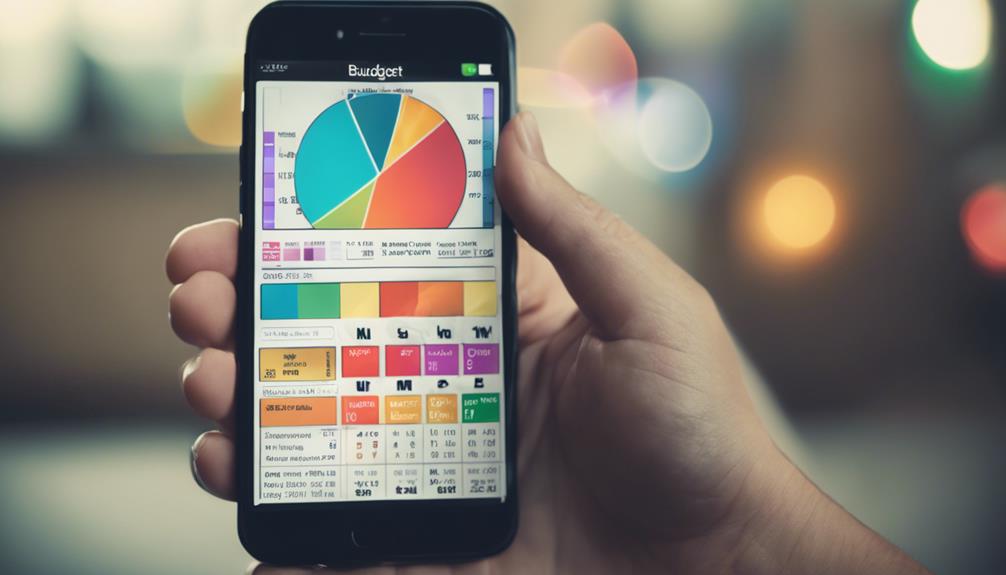
The five apps below suit different budgeting styles. YNAB and Goodbudget are built around assigning money to categories, PocketGuard and Simplifi focus on spending visibility and planning, and Honeydue is designed for shared finances.
| App | Main approach | Best for | Pricing note |
|---|---|---|---|
| YNAB (You Need a Budget) | Zero-based budgeting | Hands-on planners who want every dollar assigned | Paid subscription; check current pricing |
| PocketGuard | Spending tracking and debt payoff planning | People focused on paying down debt | Free version plus a paid Plus tier |
| Honeydue | Shared bills and spending | Couples or roommates managing joint bills | Check current pricing and plans |
| Simplifi by Quicken | Personalized spending plans with charts | Beginners who want visual summaries | Paid subscription; check current pricing |
| Goodbudget | Envelope budgeting with shared budgets | Families dividing money into spending categories | Free version with limited envelopes; paid Plus tier |
What Is YNAB and Who Is It For?
YNAB, short for You Need a Budget, is a paid app built on zero-based budgeting, in which every dollar of income is assigned to a category before you spend it. It suits people who want a hands-on method and are willing to review their budget regularly.
The app also helps you set savings goals and plan debt payments, and you can adjust category amounts when your income changes. Expect a learning curve, because the method asks more of you than simple expense tracking.
What Makes PocketGuard Useful for Debt Payoff?
PocketGuard offers a free version and a paid Plus tier, and it is known for debt payoff planning that helps you build and follow a payment schedule. It tracks spending and savings, generates reports, and can link external accounts for a wider view of your finances.
Check which features sit in the free version and which require Plus, because automated savings tools are part of the paid tier. If your debt is high-interest or hard to manage, a nonprofit credit counselor can review options that an app cannot, such as negotiating with lenders.
Is Honeydue Good for Couples Managing Shared Bills?
Yes, Honeydue is designed for two people managing joint finances. It offers shared expense tracking, bill coordination in one place, and an in-app chat for discussing money with your partner.
Before linking accounts, ask how the app protects shared logins, including whether it offers two-factor authentication, and read its privacy policy. Agreeing on who can see which accounts is also worth doing before you start.
How Does Simplifi by Quicken Build a Spending Plan?
Simplifi by Quicken creates a personalized spending plan from your income and tracked expenses, then shows your progress with charts and graphs. The plan can be adjusted as your situation changes, which keeps it current.
The visual summaries help beginners see where money goes each month, though a chart cannot change a spending habit by itself. Pair the plan with a weekly review.
Why Use Goodbudget for Envelope Budgeting?
Goodbudget uses the envelope system, which divides your income into spending categories you track separately. It supports shared budgets for multiple users, which makes it a practical choice for families.
The free version limits the number of envelopes, while the paid Plus version offers unlimited envelopes. The app also tracks savings goals and debt payoff progress. For families deciding how to split a fun-money category, this guide on keeping an entertainment budget on a frugal lifestyle covers practical limits you can set.
How Do You Choose the Right Budget App?
Choose the app whose method matches how you already plan: assigning every dollar, tracking spending, paying off debt, sharing with a partner, or using envelopes. Then test it for a month on the free tier before committing to a paid plan.
- Method fit: Does the app match how you plan, or will you fight its structure?
- Cost: Compare free limits and paid tiers, and confirm current pricing.
- Shared use: Do you need separate logins for a partner or family members?
- Bank connections and security: Check two-factor authentication, encryption, and the privacy policy before linking accounts.
- Devices: Confirm the app works well on the phone and computer you actually use.
- Exit options: Find out whether you can export your data if you stop using the app.
For daily habits that complement any app, such as cutting recurring costs, see these frugal living tips for saving money daily.
What Are the Limits of Budget Apps?
Budget apps make tracking easier, but they do not change spending on their own. The sources reviewed for this guide focus on tracking and planning habits rather than on specific products, so no app is proven to outperform a notebook or spreadsheet.
Common limits include automatic categories that are sometimes wrong, bank balances that lag behind real transactions, and subscription fees that can eat into the savings you hope to gain. Review transactions weekly and check that the categories match your actual spending.
If food is one of your largest expenses, a weekly grocery plan such as how to stock your fridge on a budget can give your tracked categories clearer targets.
Money stress can affect sleep, mood, and daily functioning for some people. If budgeting or debt feels overwhelming, or if you notice ongoing anxiety or low mood, talk with your doctor, and consider a nonprofit credit counselor or a licensed mental health professional for support.
Frequently Asked Questions
What is the best budget app for beginners?
There is no single best app, because the right choice depends on your method. Goodbudget and PocketGuard both offer free versions, so you can test them before paying. Choose based on whether you want zero-based planning, envelopes, debt payoff, or shared budgeting.
Are budget apps safe to link to my bank account?
Safety depends on each provider’s controls, so ask how the app connects to your bank and what security it uses. Check whether it offers two-factor authentication and read its privacy policy. If you are not comfortable linking accounts, you can enter transactions manually.
How long should I track spending before making a budget?
The CFPB suggests tracking all income and spending for a full month before building a cash flow budget. A full month reveals irregular bills and seasonal costs that a week can miss. After that, review your numbers weekly to keep the plan current.
Can a budget app help me pay off debt?
A budget app can show how much money is available for debt payments and help you organize a payment schedule. PocketGuard specifically offers debt payoff planning. An app cannot lower interest rates or negotiate with lenders, so a nonprofit credit counselor may be a useful next step for high balances.
Are free budget apps good enough?
Free versions can be enough for basic tracking, especially if you have only a few accounts and categories. Limits often apply to features such as the number of envelopes or extra tools, so check what the free tier includes. Paid tiers are worth the cost only if you will use the extra features.
Conclusion
This budget apps guide points to one practical rule: the right app is the one you will open every week. Start by tracking a full month of income and spending, then test one or two apps from this list on a free tier before paying for a subscription. Revisit your plan whenever your income or bills change.
More on Budget Apps Guide
Related guides: Two Kids vs. Three: The Frugal Parent’s Guide to Family Planning Finances · 10 Best Tools for Effective Savings Goal Setting · Frugal Living 101: Top Tips for Saving Money Daily
Free tools: 50/30/20 Budget Calculator
This article is general information, not financial advice. Prices and deals change: check current terms before you buy. Read our financial disclaimer and editorial policy.